 AI Expense
Split a Supplier PDF Containing Several Invoices
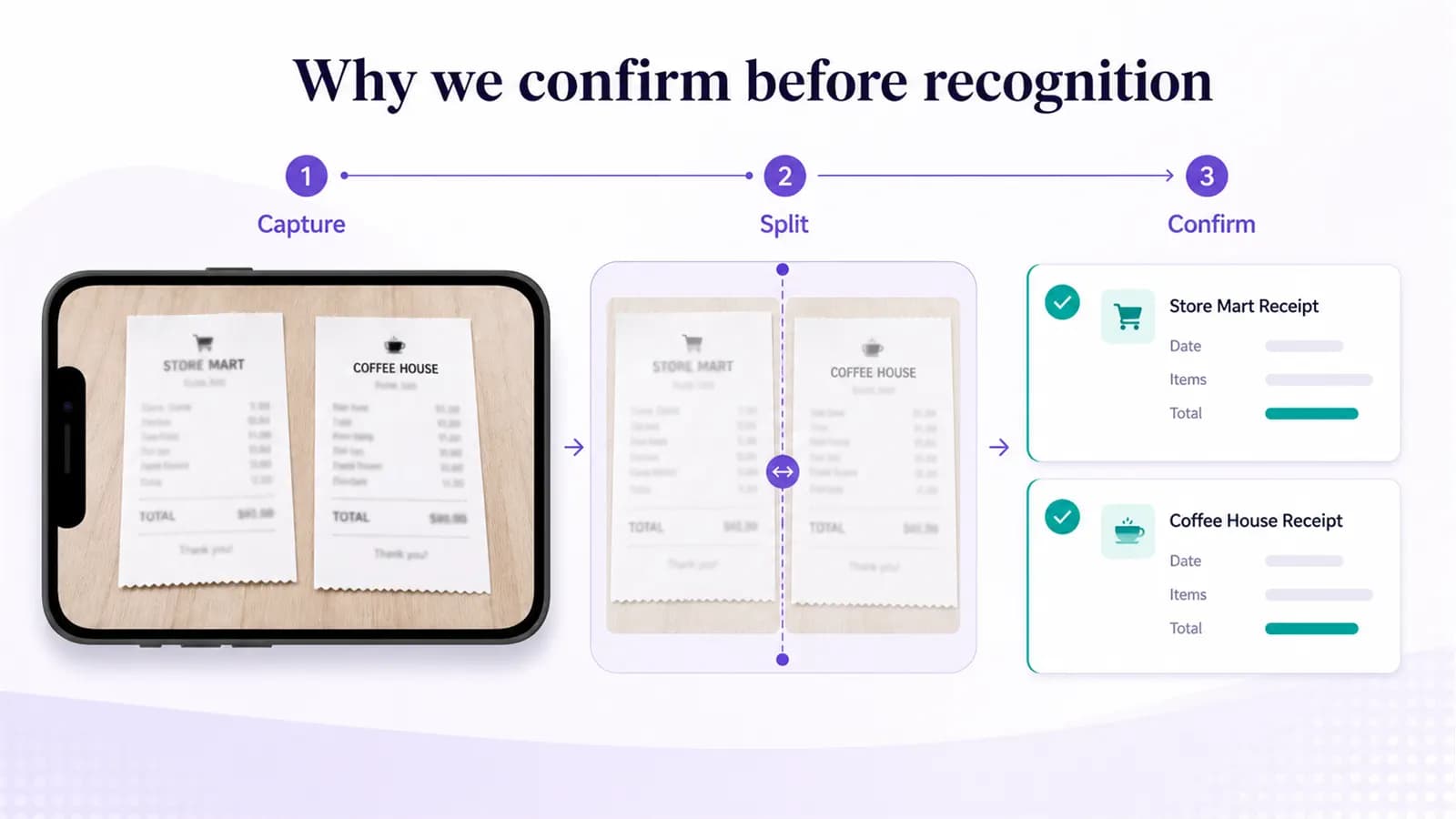
Confirm page boundaries before recognition so every supplier invoice becomes its own reviewable record.
Published by the AI Expense Editorial Team. AI Expense is developed and published by EmuInbox.
Practical answer: Confirm page boundaries before recognition so every supplier invoice becomes its own reviewable record.
A scanner or supplier portal may export a month of invoices as one PDF. Recognizing the entire file as one document can combine invoice numbers and attach the wrong total to the wrong pages.
Find transaction boundaries before extracting data
Look for repeated supplier headers, invoice numbers, totals and page markers. Keep continuation pages attached when line items or tax calculations flow onto another page.
Preview every proposed invoice
Confirm first and last pages, then reject cover sheets and duplicates deliberately. A shared supplier does not make the documents one transaction.
- Keep credit notes separate from invoices.
- Do not split merely by page count.
- Verify every extracted total against its pages.
Review the resulting batch for completeness
Sort by invoice number and date, investigate duplicates and compare the count with the supplier cover information when available.
Multi-invoice PDF confirmation
- Each output represents one invoice or credit note.
- Continuation pages remain attached.
- Invoice numbers and totals match their sources.
- Blank, cover and duplicate pages are resolved.
Questions people ask in this situation
Can splitting be fully automatic?
Automation can propose boundaries, but a reviewer should confirm difficult or mixed document packs before recognition.
Should credit notes be joined to their invoices?
Link them for context while preserving the credit note as its own source and amount.
Where AI Expense fits
AI Expense supports automatic document splitting with a confirmation step, then recognizes each invoice and its line items as a separate record.